4 - Network Property
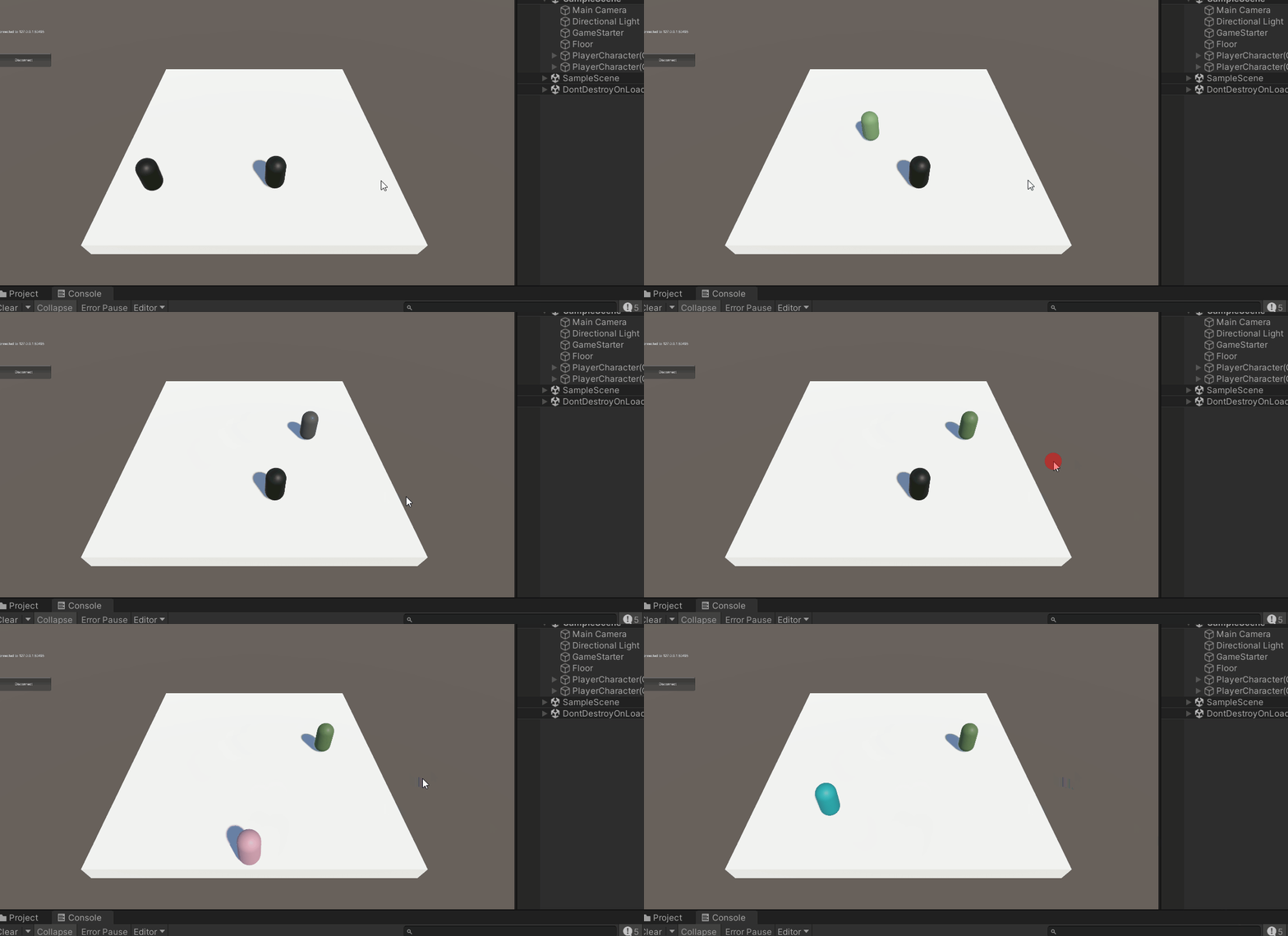
A network property allows us to replicate things in the game and keep them in sync across the network. In this tutorial, we are going to replicate our mesh color between players using inputs and network property.
Learn More About Network Properties
Color Input
Let's add one more type of input which is a bool and give it the name of randomizeColor. If this bool is true, then we will randomize the color.
public struct PlayerCharacterInput : INetworkInput
{
    //...
    public bool RandomizeColor;
}
Let's modify our GameplayManager to also set the randomizeColor using the Space key.
public class GameplayManager : NetworkEventsListener
{
    //...
    public override void OnInput(NetworkSandbox sandbox)
    {
        //...
        input.RandomizeColor = Input.GetKey(KeyCode.Space);

        sandbox.SetInput(input);
    }
    //...
}
Defining a Network Property
- Create a new C# script and name it
PlayerCharacterVisual. - Replace the parent class from
MonoBehaviourtoNetworkBehaviour. - Declare a network property of a
Colortype.
using UnityEngine;
using Netick;
using Netick.Unity;

public class PlayerCharacterVisual : NetworkBehaviour
{
    [Networked] public Color MeshColor { get; set; }
}
Note that you must make your variable a property by adding {get; set;} to its end, this is used by Netick to make it synced automatically.
- Let's use the
FetchInputmethod to handle the color changing logic. WhenRandomizeColorfield of the input is true, we generate a random color and assign it to theMeshColornetwork property.
using UnityEngine;
using Netick;
using Netick.Unity;

public class PlayerCharacterVisual : NetworkBehaviour
{
    [Networked] public Color MeshColor { get; set; }

    public override void NetworkFixedUpdate()
    {
        if (FetchInput(out PlayerCharacterInput input))
        {
            if (input.RandomizeColor)
                MeshColor = Random.ColorHSV(0f, 1f);
        }
    }
}
- Declare a field of
MeshRenderer.
Detecting Changes
Netick lets you automatically detect whenever a certain network property changes, which is by using the [OnChanged] attribute on a method that will be invoked when the specified property changes.
- Create a method and name it
OnColorChangedwithOnChangedDataparameter. - Add
[OnChanged]attribute on top of the method. - Supply the property name we want to detect inside the
[OnChanged]attribute which isMeshColor. - Update the material color on
OnColorChanged.
using UnityEngine;
using Netick;
using Netick.Unity;

public class PlayerCharacterVisual : NetworkBehaviour
{
    [Networked] public Color MeshColor { get; set; }

    public MeshRenderer meshRenderer;

    public override void NetworkFixedUpdate()
    {
        if (FetchInput(out PlayerCharacterInput input))
        {
            if (input.RandomizeColor)
                MeshColor = Random.ColorHSV(0f, 1f);
        }
    }

    [OnChanged(nameof(MeshColor))]
    private void OnColorChanged(OnChangedData onChangedData)
    {
        meshRenderer.material.color = MeshColor;
    }
}
Don't forget to assign the meshRenderer field in our player component!